
Zombie Frontier 4: Shooting 3D
FT GamesAction
4.66.42K Reviews
- Version
- 1.10.18
- Installs
- 10.00M
- Age Rating
- Mature 17+
Screenshots
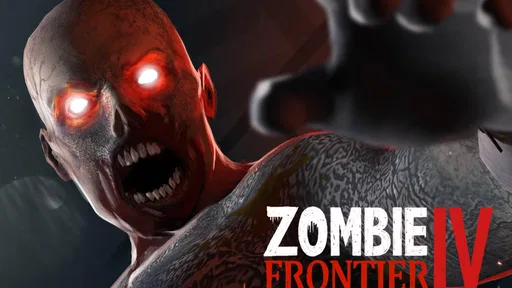
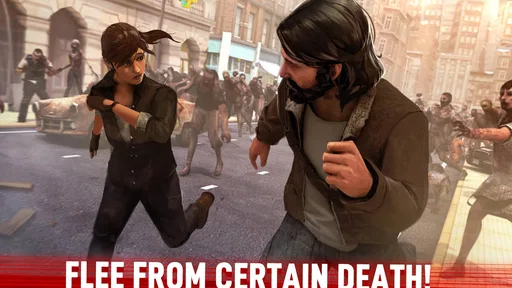
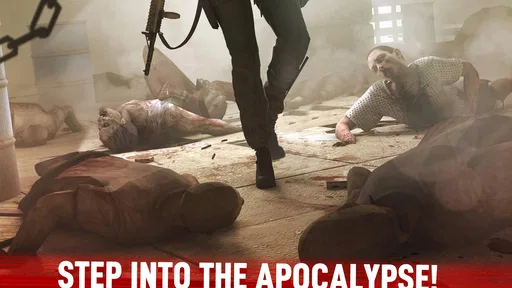
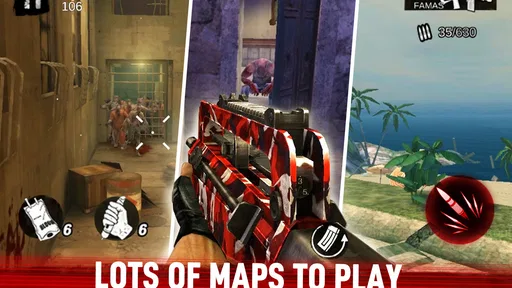
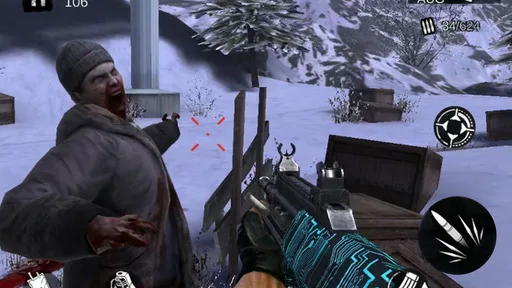
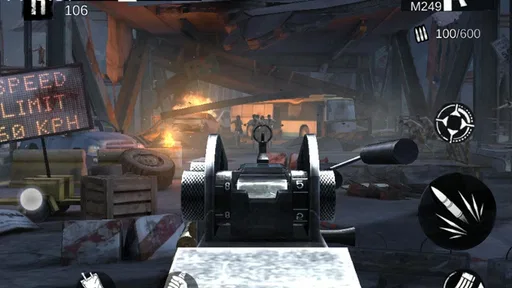
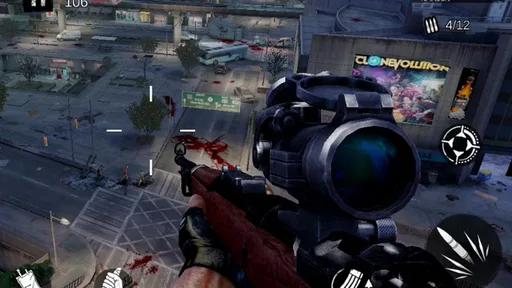
Our Review of Zombie Frontier 4: Shooting 3D
 Analysis by Appyee
I approached Zombie Frontier 4: Shooting 3D expecting a quick action game I could pick up for a few minutes at a time, and that is still the way I find it most useful. It puts the focus on surviving a zombie outbreak through shooting-focused encounters, with a darker tone than a casual cartoon shooter. The basic appeal is immediate: aim, react, manage each encounter, and keep moving through the series’ latest setting. It is free to start, although optional purchases range from $0.99 to $99.99 per item, so I would treat it as a game to test patiently rather than one to rush into spending on.
FT Games presents this as an action title for mature players, and that description matters. The atmosphere, violence, and overall presentation are aimed at an older audience, with a content rating of Mature 17+. I would not install it on a child’s device simply because the download itself costs nothing. On a compatible phone or tablet running Android 9 or later, the current version is 1.10.18. Those details are worth checking before troubleshooting, because an outdated operating system or an incomplete update can look like a game problem when the real issue is the device setup.
Getting into the game without turning the first session into a chore
The first place I expect many players to get stuck is not the shooting itself but the transition from installation to a comfortable first session. A 3D action game needs more attention than a simple puzzle title, and a device that is nearly full, running many other apps, or waiting for system updates may produce a rough start. My practical advice is to install it when the phone has a stable connection, close unrelated apps, and leave enough free storage for the game and its future updates. I would also avoid judging the experience during the first few seconds after opening it; give the app time to finish its initial preparation before repeatedly tapping buttons.
If the game opens but feels slow, I first separate two problems: a network interruption and a performance limitation. A weak connection can affect loading or account-related steps, while an older or busy device may struggle with the visual side of a 3D shooter. Restarting the app once is sensible, but repeatedly force-closing it while an operation is still in progress can make the session feel less reliable. I prefer a simple sequence: finish other downloads, restart the device, open the game again, and test one short session before changing anything more drastic.
Touch controls are another early friction point. In a shooting game, a small mistake can feel like a technical failure when it is really a matter of learning the aiming rhythm. I recommend using the opening encounters to discover how much finger movement is needed, rather than trying to play at maximum speed immediately. Keep the phone steady, use a clean screen, and avoid covering the area where you need to aim. A case with a raised edge or a damp screen can make swiping feel inconsistent, especially during a tense encounter.
One useful habit is to treat each attempt as a short test of one variable. If aiming feels wrong, do not simultaneously change your grip, connection, background apps, and device settings. Try a calmer grip first, then restart if necessary. This makes it easier to tell whether the problem comes from your handling or from the game session. It also prevents the common mistake of changing several things and then not knowing which change actually helped.
The title is free, but that does not mean every player will enjoy its progression style. I would be especially careful with purchases during the opening session. The listed purchase range reaches from $0.99 to $99.99 per item, which is a wide enough spread to make accidental or impulsive spending a real consideration. I would play long enough to understand the normal rhythm before buying anything, and I would use the device’s purchase protections if the phone is shared with family members. That is less about the game’s shooting and more about keeping a free-to-start experience under control.
Checks I make before blaming the game
When a game refuses to start, I begin with the boring checks because they solve more problems than dramatic fixes. I confirm that the device meets the Android requirement, that the installation completed properly, and that the operating system is not waiting for a restart. I also check whether another app is consuming the connection or whether the device is in a restrictive battery mode. These checks do not change the game, but they remove common obstacles before I consider reinstalling anything.
I would not clear storage or remove the game immediately if progress matters to you. First, make sure you understand how your progress is handled on your device and whether you have a reliable way to return to the same game state. A reinstall can be useful when an installation is damaged, but it should be a later step, not the first reaction to a single failed launch. If the game has just been updated, I also give the device a full restart before assuming the new version is unusable.
The current version is 1.10.18, so I would check that the installed build is current through the normal app store process. If an update is waiting, finish it on a dependable connection rather than interrupting it halfway. If the update will not complete, the likely suspects include storage, connection stability, or the operating system rather than the shooting content itself. Keeping those causes separate saves time and reduces the temptation to make risky changes.
Another setup detail is the phone’s physical condition. Long sessions can be less comfortable if the device becomes warm, the battery is low, or the screen starts registering touches inconsistently. I do not recommend playing while the phone is struggling with several demanding tasks at once. Letting it cool, closing background activity, and trying again later is a safer and more useful test than repeatedly pressing the same control.
Recovering a session when something goes wrong
If a stage stops responding, I first wait briefly and look for signs that the device is still processing. If nothing changes, I close the game normally if possible, reopen it, and test whether the problem repeats in the same place. A single failed session can be temporary. A repeated failure after a clean restart points toward a more persistent compatibility, installation, or connection issue. That distinction helps me decide whether to continue playing or move on to device-level troubleshooting.
When the app launches but a particular screen will not advance, I avoid tapping rapidly in several places. Fast repeated taps can make it difficult to see whether the interface is delayed or whether the command was simply missed. I use one deliberate tap, wait, and then restart only if the screen remains unchanged. This is particularly helpful in an action title, where impatience can make a normal loading pause look like a frozen game.
For connection-related trouble, I try one clean change at a time. Moving from an unstable connection to a more reliable one can reveal whether the issue is local to the network. If other apps are also slow, I stop treating Zombie Frontier 4 as the sole suspect. Restarting the router or reconnecting the device may be more relevant than reinstalling the game. I would also avoid switching networks repeatedly during a purchase or account-related action, because interruptions at that moment can create unnecessary confusion.
If the game closes unexpectedly, I record what happened in practical terms: whether it occurred at launch, during a particular encounter, after returning from another app, or when the device was hot. That pattern is more useful than simply saying “it crashes.” I then repeat the shortest possible test after a restart. If it closes every time at the same point, I would stop experimenting with random settings and contact the developer, FT Games, through the appropriate store support route with the device model, operating system, current version, and steps that reproduce the problem.
I am cautious about unofficial fixes that promise modified resources, free purchases, or altered game files. They can introduce security risks and make troubleshooting harder. For a game with optional purchases, the safest recovery path is to use the official installation and normal device tools. If something went wrong after a transaction, keep the store receipt and avoid buying again simply to test whether the first action worked.
When the problem is really the device, connection, or expectation
Not every rough moment means the app is defective. A phone can be compatible on paper and still deliver an uncomfortable session if it is busy, hot, short on storage, or handling several tasks. I judge the game after a clean restart, with other demanding apps closed, and with the device at a reasonable charge. If the experience improves under those conditions, the limitation is probably the surrounding setup rather than the core game.
Connection quality can also be misleading. A player may have a fast connection in general but still encounter trouble during a brief interruption, crowded network period, or unstable handoff between connections. If the game works normally later without an update or reinstall, that points toward the connection or service path at that moment. I would not repeatedly delete and reinstall a large 3D game for a problem that disappears after the network settles.
There is also a difference between difficulty and malfunction. A missed shot, a slow reaction, or an encounter that feels unforgiving is not automatically a control failure. I found it more useful to slow down, learn the aiming response, and review my own timing before changing the device. Players who want a relaxed, low-pressure game may interpret this action-focused design as frustration, while players who enjoy repeated attempts may see the same tension as the main attraction.
Compared with a casual match-three game, this is a much heavier commitment in attention and device resources. Compared with a broad open-world action game, its appeal is more concentrated: it is easier to approach when I want focused zombie shooting rather than exploration, driving, or a large social world. That focus is a strength for short action sessions, but it also means there is less reason to keep playing if you do not enjoy aiming and surviving repeated encounters. A story-driven game with slower pacing may suit you better if atmosphere matters more than quick combat decisions.
I would also skip it if you are looking for a completely offline experience, a child-friendly game, or a title with no purchase pressure at all. Its mature rating alone makes it unsuitable for younger players, and the free price should not be confused with a promise that every part of the experience is free of optional spending. On the other hand, it is a reasonable choice for an adult who wants a zombie-themed action game, has a device running Android 9 or later, and is comfortable treating purchases as optional rather than necessary.
Who will get the most from this particular shooter
I see the best fit as someone who likes the Zombie Frontier series’ premise but wants a focused 3D action session instead of a slow strategy game. It works well for the player who can give the game a few uninterrupted minutes, keep a steady grip, and accept that progress may require learning from failed attempts. The action category is a better description of its appeal than the zombie theme alone: the important question is whether you enjoy the pressure of aiming and reacting.
A realistic everyday use case would be a short break after work or during a commute with a dependable connection. I would open it only after checking the battery and closing apps that compete for memory, play a contained session, and stop before the phone becomes uncomfortable to hold. That routine makes the game feel manageable. Trying to squeeze in a session while a video call, download, or system update is running is more likely to create frustration than entertainment.
The game has also reached a substantial audience, with an average rating of 4.6 from around 179 thousand ratings and more than 10 million installs. I take that as a sign that its basic formula connects with many players, not as proof that it will suit everyone. The review volume, around 6.4 thousand written reviews, suggests there is plenty of player feedback to compare when diagnosing a recurring issue, but I still give more weight to reports that match my device and exact situation.
FT Games released it on July 7, 2021, and the continued presence of version 1.10.18 makes checking the installed version worthwhile whenever something behaves strangely. I do not see that as a reason to expect a flawless experience on every phone. Instead, it tells me to keep the normal maintenance habits in place: update through official channels, restart after major changes, and avoid judging performance while the device is under unusual load.
My strongest practical recommendation is to test the game in a controlled first session before spending money or changing advanced device settings. Confirm the operating system, install cleanly, use a stable connection, close background apps, and learn the touch response. If the game is enjoyable under those conditions, you have a fair basis for deciding whether it belongs on your phone. If it still feels uncomfortable after that, the issue may simply be that this particular style of zombie shooter is not your kind of action game.
After using it with that mindset, I find Zombie Frontier 4: Shooting 3D easy to recommend selectively. It is a free action game with a clear zombie-shooting identity, a mature presentation, and enough audience interest to show that the formula has appeal. Its weak points are equally clear: setup and performance can matter, optional purchases require restraint, and players wanting a gentle or fully offline experience should look elsewhere.
My final verdict is positive for adult players with compatible Android devices who want focused zombie combat and are willing to troubleshoot sensibly when a session goes wrong. I would install it for short, deliberate play rather than leave it running all day. If you approach it as a free trial, protect your spending, keep the device in good shape, and judge the controls after a proper setup, it gives you a fair chance to decide whether its version of the apocalypse is worth keeping.
Verdict
Strengths of Zombie Frontier 4: Shooting 3D
- Smooth 3D graphics and detailed zombie designs
- Large arsenal with varied weapons and upgrade paths
- Short missions work well for quick gaming sessions
- Different zombie types keep combat encounters varied
- Offline play is available for many single-player missions
Limitations of Zombie Frontier 4: Shooting 3D
- Energy or resource limits can interrupt longer play sessions
- Weapon upgrades may require considerable grinding
- Some advanced content is locked behind progression
- Controls can feel less precise during fast enemy attacks
- Repeated mission objectives may become monotonous over time
Other Releases by FT Games
View All
The Godfather: Family Dynasty
Strategy4.4
Similar Picks in This Category
View All
Temple Run 2: Endless Escape
Imangi Studios4.1

PUBG MOBILE
Level Infinite4.3

Free Fire: 9th Anniversary
GARENA INTERNATIONAL I4.4

Talking Tom: Hero Dash Run
Outfit7 Limited4.3

slither.io
Lowtech Studios3.9

Sniper 3D:Gun Shooting Games
Wildlife Studios4.6
Frequently Asked Questions
What is Zombie Frontier 4: Shooting 3D?
Zombie Frontier 4: Shooting 3D is a first-person zombie-shooting game for Android and iOS. You fight through infected areas, complete missions, collect weapons, and face increasingly dangerous undead enemies. The game focuses on short action stages, aiming accuracy, weapon upgrades, and survival rather than open-world exploration. It is designed for players who enjoy fast-paced shooting with simple touch controls.
Is Zombie Frontier 4 free to download and play?
Yes, Zombie Frontier 4 can generally be downloaded for free, but it includes optional in-app purchases. Players can spend money on weapons, upgrades, resources, or other advantages that may speed up progress. It is possible to play without paying, although free players may need more patience because energy systems, upgrade costs, advertisements, and difficulty increases can affect the pace of progression.
Does the game require an internet connection?
An internet connection may be needed for several features, including advertisements, online rewards, account synchronization, events, updates, and in-app purchases. Some missions may work when the device is offline, but the overall experience can vary depending on the version and platform. For the most reliable access to all content, it is best to play while connected to Wi-Fi or mobile data.
What are the main gameplay features?
The game combines first-person shooting with mission-based progression. Players aim at zombies, target weak points, switch between firearms, and improve equipment using collected resources. It also includes different enemy types, boss encounters, weapon customization, and additional modes or events that expand the experience. Success depends on accurate shooting, choosing suitable upgrades, and managing ammunition and other resources carefully.
Is Zombie Frontier 4 suitable for children?
Zombie Frontier 4 is primarily intended for older players because it contains frequent shooting, horror-themed visuals, blood effects, mutated enemies, and intense zombie violence. The exact age recommendation can differ between the Google Play Store and Apple App Store. Parents should review the current store rating, privacy information, advertising, and purchase options before allowing a child to install and play the game.
Play our best games!


